
Flashcards for your own material.
Import from Anki or a spreadsheet, study with FSRS, and check the answers you feel sure about. Studying, importing and backing up are free, with no card or deck limit. Buy Pro once for images, audio, cloze and documents. No subscription, no account.
€12.99, once · Family Sharing on the App Store · no subscription





Bring your material
Anki packages, older and current, arrive with formatting, tags, subdecks, images, audio and cloze cards, and your progress if you choose. CSV, TSV and pasted two-column lists show the real cards before anything is saved. What cannot come across is named first.
Study what is due today
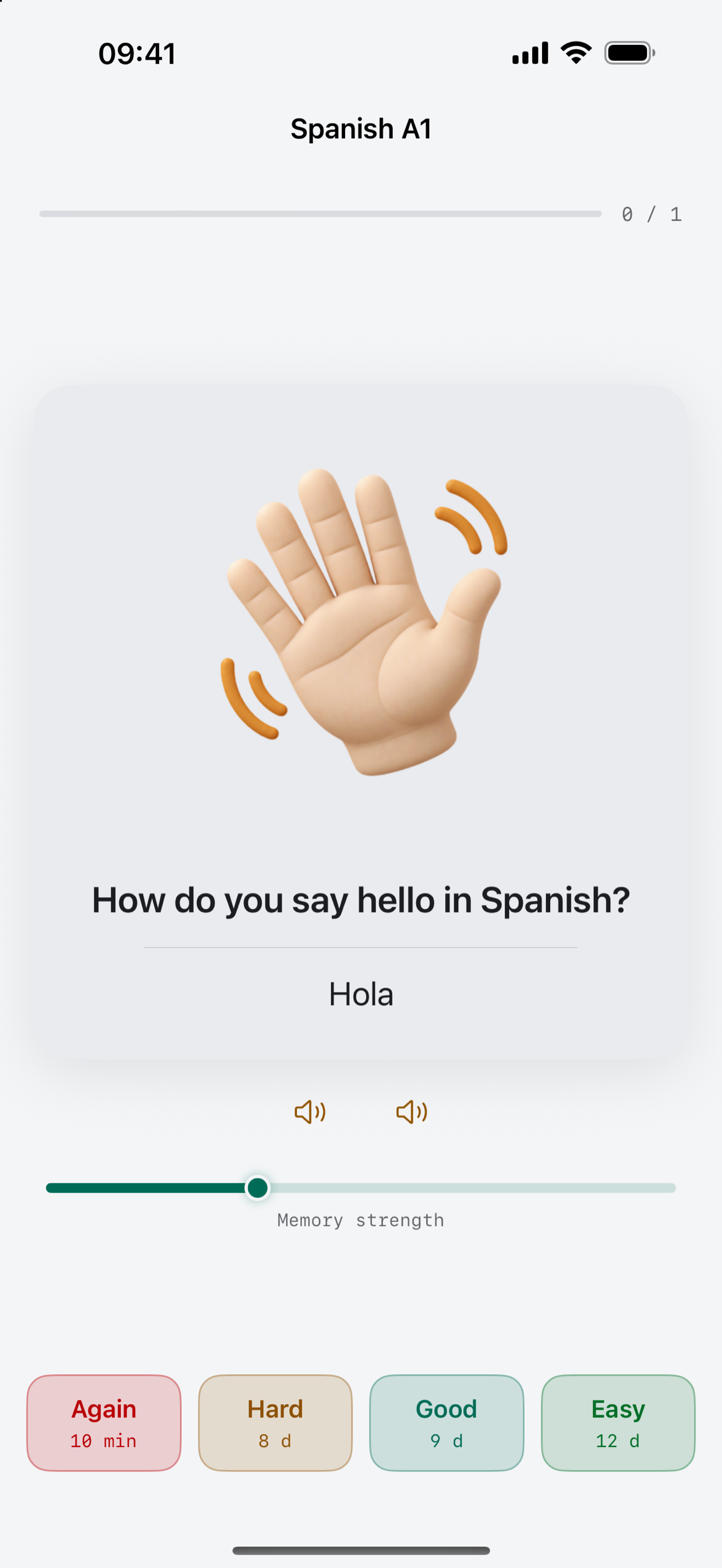
Today shows what is due and rests when nothing is. Flip a card, then choose Again, Hard, Good or Easy with the next interval shown before you tap. FSRS-6 plans the next review, and the last grade can be undone.
Keep your data in your own files
One backup file holds every deck, card, image and recording and restores on iPhone, iPad or Android without deleting anything. Export to Anki or as CSV whenever you like. All of it is free.
Find the answers you were sure you knew
Type the answer, say how confident you were, then see the card. The ones you got wrong while feeling certain come back for a targeted retry. Your FSRS schedule stays untouched.



Every deck gets a picture from its name, or one you pick. The illustrations are generated and marked as such.
Amber when the interval grows. Teal when the card is stable.
Every card carries its own ladder. Each grade moves it one step, and a card you hold well turns teal. Colour never stands alone: the interval sits beside it in numbers that line up, so a growing memory reads like a measurement.
On iPhone and iPad your decks can also live in your own iCloud, which only you can reach, and the app shows when it last synced. On Android they stay on the device. There is no account to make and nothing of yours on a server of ours.
€12.99
One-time purchase · yours to keep
Free, with no card or deck cap and no trial clock: study, the self-check, import, export and backup, and five generated cards a day. Pro, bought once, adds the tools for making richer cards. If you already bought Cardpile, you have Pro.
- ✓Images, audio, cloze and image occlusion
- ✓Cards from PDFs and photos, a saved mistake list, goal dates
- ✓Pay once, no subscription, Family Sharing on the App Store
Google Play is a separate purchase at the same one-time price.
Questions
Is Cardpile a subscription?
No. Studying is free with no card or deck limit. Pro is bought once for images, audio, cloze, documents and a saved mistake list. Family Sharing is included on the App Store.
Can I bring my Anki decks across?
Yes. Anki packages ending in .apkg or .colpkg, from older and
current Anki versions, come across with formatting, tags, images, audio and cloze cards.
You choose whether to keep your Anki progress. Anki’s image occlusion notes and video
are not imported; the import screen counts them before anything is written.
What is FSRS, and why does it matter?
FSRS-6 estimates the next review from your previous answers. Rate each card and see the planned interval before choosing. It adapts the schedule as you study.
Where are my decks kept?
On your device. On iPhone and iPad you can turn sync on as well, and they are then kept in your own iCloud, which only you can reach; on Android they stay on the device. There is no account to make and nothing of yours lives on a server of ours.
Who makes Cardpile?
Made by oomny. A real person answers your email.
How Cardpile is made
We develop our apps with AI tools for programming and translation. We use automated checks and device tests. We are responsible for the result, and a person answers support requests.
AI and data processing in this app
Cardpile can draft flashcards from notes you paste or from pages you choose in a PDF or photo, with Apple's on-device model on an iPhone or iPad that has it and Gemini Nano on an Android device that has it; everywhere else a rules-based helper on your device drafts them, and the screen says which one did. Text in PDFs and photos is read on your device. You see every draft and keep only what you want, and nothing you paste or scan is sent anywhere. The deck pictures and the illustrations in the sample deck were made with an image generator and are marked as generated.